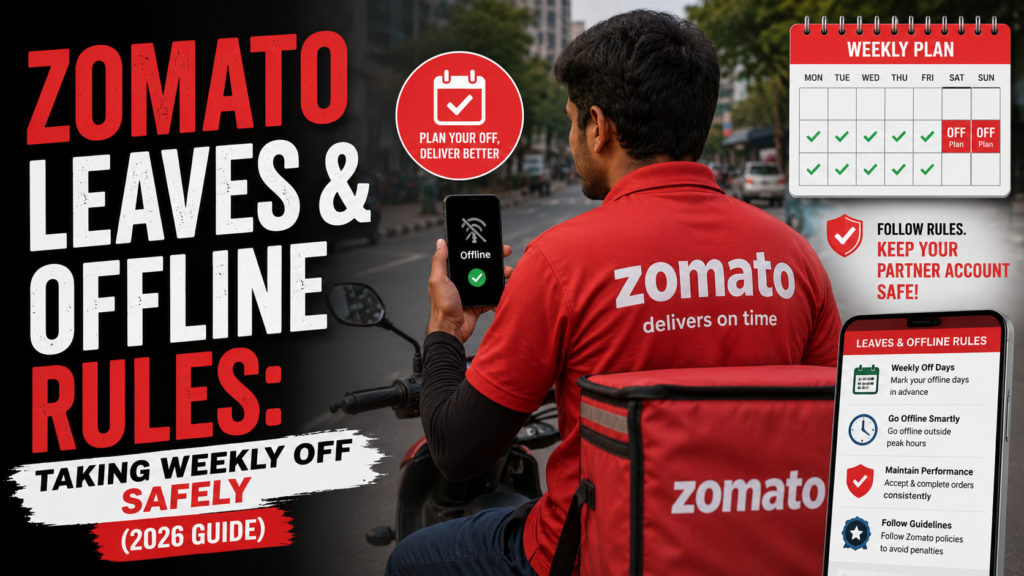
Zomato Leaves and Offline Rules – The biggest draw of the gig economy is the promise of ultimate flexibility. As an independent delivery partner on the Zomato platform, you are your own boss. You do not have to report to a physical office, and you are not bound by a strict 9-to-5 corporate schedule. However, this flexibility operates within a highly sophisticated algorithmic framework.
While you have the freedom to choose your working hours, the platform relies on predictability to ensure hungry customers receive their food on time. Because of this, randomly going offline or failing to show up for your selected working hours can trigger systemic penalties, lower your performance tier, and ultimately hurt your weekly payouts.
If you want to maintain a high-earning profile while still enjoying your personal life, understanding the Zomato leaves and offline rules is absolutely essential. This comprehensive guide will explain exactly how the 2026 gig booking system works, how to manage your shifts, and the exact steps for Taking days off without penalty so you can rest without risking your income.
The Zomato Gig System: How Working Hours are Tracked
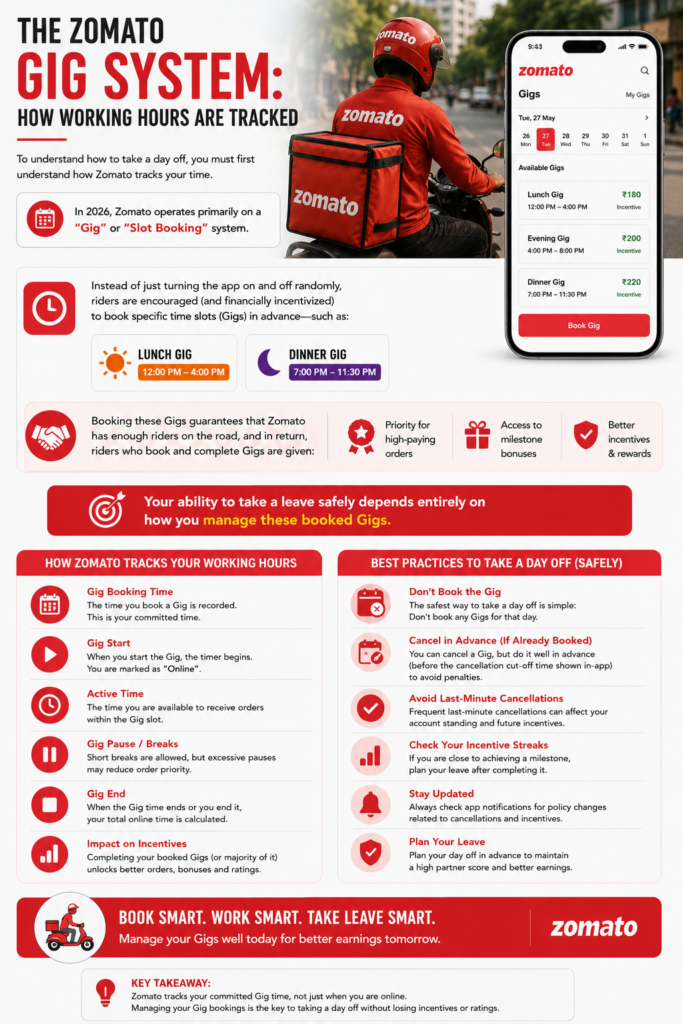
To understand how to take a day off, you must first understand how Zomato tracks your time. In 2026, Zomato operates primarily on a “Gig” or “Slot Booking” system.
Instead of just turning the app on and off randomly, riders are encouraged (and financially incentivized) to book specific time slots (Gigs) in advance—such as a Lunch Gig (12:00 PM to 4:00 PM) or a Dinner Gig (7:00 PM to 11:30 PM).
Booking these Gigs guarantees that Zomato has enough riders on the road, and in return, riders who book and complete Gigs are given priority for high-paying orders and milestone bonuses. Your ability to take a leave safely depends entirely on how you manage these booked Gigs.
> Planning a weekly off from Zomato? Explore flexible delivery jobs on AlphaReach and find opportunities that fit your preferred working schedule.
Zomato Leaves and Offline Rules: Taking Weekly Off Safely
Because you are an independent contractor, there is no formal “Leave Application” process like you would find in a corporate job. You do not need to ask a manager for permission to take a Sunday off. However, you must manage your schedule within the app to avoid algorithmic penalties.
Here is the definitive blueprint for Zomato Leaves and Offline Rules: Taking Weekly Off Safely:
1. The Golden Rule: Do Not Book Gigs on Your Off Day
The easiest and safest way to take a day off is proactive scheduling. The Zomato algorithm releases Gigs a few days in advance. If you know you want to take Wednesday off to rest or spend time with family, simply do not book any Gigs for Wednesday.
- Result: The system does not expect you to be online. You will not receive any cancellation penalties, and your ID will remain perfectly safe.
2. The 24-Hour Cancellation Policy
Gig workers often face unpredictable situations. What if you booked a Tuesday Dinner Gig three days ago, but suddenly you feel unwell and need a day off?
- The Safe Zone: You can cancel a booked Gig without any penalty if you do it well in advance (typically 24 hours prior to the start time).
- The Danger Zone (Late Cancellation Penalty): If you cancel a Gig just an hour before it starts, or if you simply fail to log in (a “No-Show”), the algorithm flags your account. A No-Show severely damages your “Gig Completion Rate.” Dropping this metric will lock you out of daily milestone bonuses and can drop your Zomato Medal tier (e.g., from Diamond to Silver).
3. Using the In-App “Pause” Feature for Short Breaks
You do not need to take a full day off just to handle a quick personal errand. If you are in the middle of an active Gig and need to eat, pray, or fix a minor bike issue, use the Pause feature.
- The Zomato app allows you to pause your shift for short durations (usually 15 to 30 minutes) without breaking your Gig streak.
- Warning: Do not just turn off your mobile data or ignore incoming orders while active. Ignoring orders drops your “Acceptance Rate,” which leads to an immediate algorithmic penalty. Always use the official Pause button.
How Long Absences Affect Your Zomato Medals (Tiers)
While Taking days off without penalty on a day-to-day basis is easy through the Gig booking system, taking a long leave (such as a week or a month) requires a deeper understanding of the Zomato Medal System.
Your Zomato Medal (Bronze, Silver, Gold, Diamond) determines your order dispatch priority and your access to surge pay. This tier is calculated on a rolling basis, evaluating your performance and login hours over the past few weeks.
| Absence Duration | Impact on Zomato Profile | Suggested Action |
| 1 to 2 Days Off | Negligible. As long as you did not cancel Gigs late, your tier remains safe. | Enjoy your rest! Just fulfill your Gigs on the other 5 days. |
| 1 Week Off | High Risk of Tier Drop. Because your weekly login hours will drop to zero, you may be downgraded (e.g., Gold to Silver) next week. | Accept the temporary drop. Your tier will recover quickly once you resume regular, high-volume Gigs. |
| 1 Month+ Off | Account Dormancy. Zomato temporarily pauses inactive IDs to clean up their database. | Raise a ticket via Partner Support stating you are taking a long leave. When you are ready to return, request reactivation. |
Handling Medical Emergencies and Bike Breakdowns
Sometimes, you are forced to go offline in the middle of an active shift due to circumstances completely beyond your control, such as a severe rainstorm, a flat tire, or a medical emergency.
If you abandon a shift mid-way, the system will automatically assume it is a “No-Show” or an “Incomplete Gig,” which triggers a penalty. To protect your rating, follow these exact steps:
- Do Not Just Close the App: Pull over safely and open the Zomato Partner App.
- Raise a Live Support Ticket: Go to the Help/Support section and select the option for an active emergency (e.g., “Vehicle Breakdown” or “Accident/Medical Issue”).
- End the Gig Officially: Once support acknowledges the issue, they will manually end your Gig from the backend.
- The Result: Because the Gig was ended by support due to a verified emergency, the system usually overrides the algorithm and exempts you from the standard cancellation penalty, protecting your “Perfect Order” and “Gig Completion” metrics.
> Want flexible delivery work alongside your current routine? Apply as a delivery partner and choose work hours that make taking regular breaks easier.
Conclusion
Succeeding in the delivery sector requires balancing hard work with necessary rest to avoid burnout. The platform offers incredible freedom, but that freedom is governed by a strict digital ledger.
Mastering the Zomato leaves and offline rules simply comes down to proactive planning. By managing your calendar effectively, canceling unwanted slots at least 24 hours