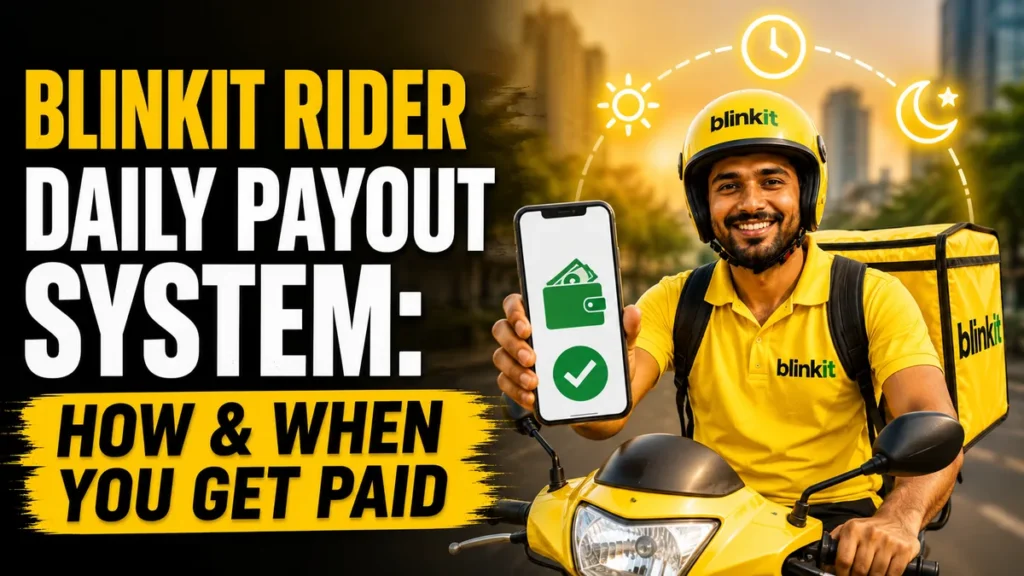
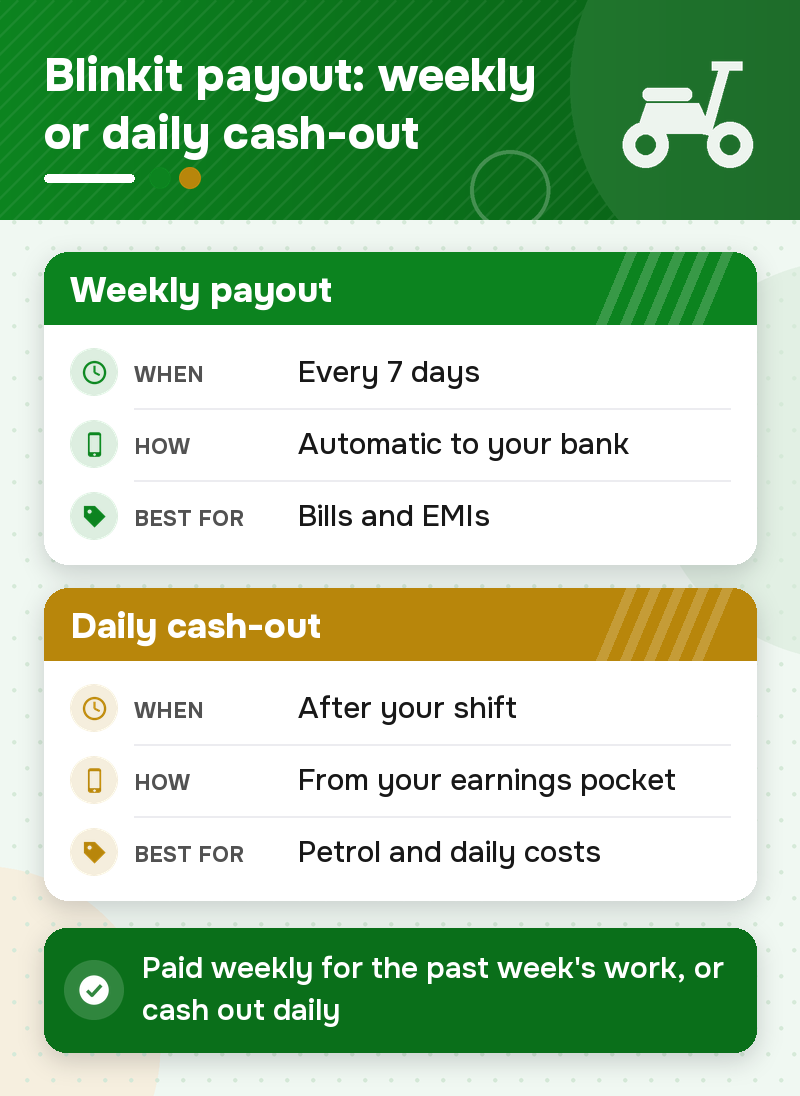
Blinkit pays delivery partners weekly. Your earnings for the week (base pay, distance pay, surge bonuses and tips) go straight into your bank account every 7 days. Blinkit doesn’t publish one fixed day, so the exact day can differ a little by city. If you’d rather not wait, the daily cash-out option sends your balance by IMPS. It usually needs a minimum balance of ₹100–₹200, and a ₹2–₹5 bank fee may apply.
Whether you need immediate cash for petrol, daily household expenses, or an unexpected emergency, knowing when the money lands helps you plan. In this guide, we break down how the payment cycle works, what time the weekly payout arrives, the rules for daily cash withdrawals, and what to do if a payout is late.
1. The Standard Payment Cycle (Weekly Payouts)
Before diving into the daily cashout feature, it is important to understand the default payment structure. By default, Blinkit operates on a highly reliable weekly payout cycle. Blinkit’s delivery partner page says your earnings are transferred to your bank account on a weekly basis.
- The Cycle: Your workweek is calculated from Monday to Sunday.
- The Deposit: All your earnings—including base pay, distance pay, surge bonuses, and customer tips—are tallied up at midnight on Sunday.
- The Transfer: The total is transferred automatically to your registered bank account every 7 days, for the previous week’s work. Blinkit doesn’t publish one fixed day, so it can differ a little by city, and a bank holiday can push it back by a day.
For riders who prefer to save their money and receive a larger lump sum to pay off monthly bills or EMIs, simply leaving the account on the standard weekly cycle is the best strategy.
Blinkit payout time: what time does the money arrive?
Blinkit doesn’t publish a fixed time. On payout day the transfer usually shows during the day, and your bank’s speed decides the exact hour. Wait until the evening of payout day before you worry.
| Step | When | What to do |
| Work week | Monday 12:00 AM to Sunday 11:59 PM | Check every order is marked delivered |
| Weekly earnings statement | In the app after the week closes | Check base pay, bonuses and any deductions |
| Bank transfer | Every 7 days, for the previous week | Look for the bank SMS |
| Bank holiday | Can move the transfer by about a day | Expect the bank SMS a day later |
| Daily cash-out | Any day, after your shift | Use Pocket in the app |
2. Immediate Cash: The Blinkit Rider Daily Payout System
What if you cannot wait for the weekly payout? What if you need cash immediately after your shift ends to fill up your bike’s petrol tank?
To solve this, Blinkit introduced an instant payout system known as the “Pocket Feature”. This feature gives eligible delivery partners the power to bypass the weekly wait and withdraw their daily earnings immediately.
Immediate Cash / Daily Payout Rules
While the daily payout feature is a lifesaver, it is governed by a few automated rules to ensure smooth banking transactions:
- Shift Completion: You can only withdraw funds after you have successfully logged off and completed your active shift for the day. You cannot withdraw money while currently holding an active, undelivered order.
- Minimum Balance Requirement: Most gig platforms require a minimum wallet balance (usually around ₹100 to ₹200) before triggering an instant IMPS bank transfer.
- Withdrawal Limits: To prevent banking server overloads, there may be a limit on how many times you can use the instant cashout feature per day (typically once every 24 hours).
- Bank Account Verification: Your bank account KYC must be 100% verified and active. If your bank server is down, the instant payout might be delayed until the banking network comes back online.
What your Pocket balance means, why cash-out can be disabled and how cash on delivery affects it: Blinkit Pocket balance and withdrawal rules.
> Looking for delivery work? Apply for delivery jobs near you: our team calls you back about openings nearby, and we never charge riders.
3. How Your Daily Payout is Calculated
To maximize your Blinkit rider daily payout, you need to know exactly how your money is generated on every single trip. Your total daily income is a combination of:
| Payout Component | How It Works |
| Base Pay | A fixed minimum amount per order. For deliveries within the first 1 kilometer, riders typically earn a minimum base of ₹20. |
| Distance Pay | If the delivery crosses the initial 1 km radius, you earn an additional ₹10 to ₹14 per extra kilometer. |
| Weight Multiplier | Since you are delivering groceries, heavy items (like 10kg flour or water bottles) trigger an extra heavy-weight bonus. |
| Surge Pay | During high-demand peak hours, festivals, or heavy rain, your per-order earnings can go up, by an estimated ₹80 extra per order at the top end. |
| Daily Incentives | Hitting specific daily milestones (e.g., completing 15 or 20 orders in a day) unlocks extra cash bonuses. |
| Customer Tips | 100% of the tip paid by the customer via the app is added directly to your daily payout. |
Surge pay and incentives change by city, store, season and weather. Check the Incentives section of the Blinkit app for today’s amounts.
What Gets Deducted From Your Blinkit Payout?
Your weekly statement in the app lists every deduction. The common ones are:
- TDS (tax): usually 1% of your payout when your PAN is added. Without a valid PAN, the tax cut can be much higher, so add your PAN early.
- Joining fee instalments: in your first weeks, part of the one-time joining fee may be cut from each payout. See Blinkit joining fees.
- Cash on delivery: cash you collected from customers and haven’t deposited is set off against your earnings.
Customer tips are not cut: the full tip goes to you.
Why Is My Blinkit Payout Late? What to Do
- Check the payout date in the app. The Earnings section shows when the transfer was sent.
- Check your bank details. The name on your bank account should match your PAN card, or the bank check can fail.
- Give your bank a few hours. If the app says the money was sent, wait until the evening of payout day.
- Raise a ticket in the app. Go to Help and pick the payout query. Ask for the transaction reference (UTR) so your bank can trace it.
4. What You Need Before Your First Payout
Your first weekly payout only goes through if your documents and bank details are verified in the Blinkit Delivery Partner app. Keep these ready:
- Aadhaar Card (Front and Back)
- PAN Card (Mandatory for payouts)
- Bank Passbook or Cancelled Cheque (Where your weekly and daily payouts will be sent)
- Driving License (Only if using a motorized bike/scooter)
Pay any joining fee only inside the Blinkit app, never to an agent. Looking for delivery work near you? Fill in our short form and our team will call you back about delivery jobs nearby, or see Blinkit delivery jobs. We never charge riders.
> Looking beyond delivery work? Explore current job opportunities and find flexible roles that align with your skills, schedule, and earning goals.
Frequently Asked Questions (FAQs)
Q1. Are there any hidden fees for using the Blinkit rider daily payout feature?
Generally, the platform covers standard transfer fees, but depending on your specific bank’s IMPS rules, a nominal bank processing fee (like ₹2 to ₹5) might be deducted for instant daily transfers.
Q2. What happens to my money if I don’t use the daily cashout feature?
If you do not manually withdraw your earnings using the daily Pocket feature, your money is completely safe. It will automatically roll over and be deposited into your bank account during the standard weekly payout cycle.
Q3. Do I need a driving license if I use a bicycle for Blinkit deliveries?
No. If you deliver on a bicycle or a low-speed electric vehicle (capped at 25 km/h), you do not need a driving license.
Q4. Can my daily payout be blocked?
Your payout wallet can be temporarily frozen if there is a severe customer complaint, a suspected fraud issue (like fake GPS), or if your mandatory documents (like vehicle insurance) expire. Keeping your documents updated ensures uninterrupted daily payouts.
Q5. What day of the week does Blinkit credit weekly payments?
Blinkit pays weekly, every 7 days, straight into your bank account for the previous week’s work. It doesn’t publish one fixed day, so the exact day can differ a little by city, and a bank holiday can move it by about a day. If you’d rather not wait, you can cash out your earnings daily from your earnings pocket.
Q6. What time is the Blinkit weekly payout deposited?
Blinkit doesn’t publish a fixed time. The bank transfer usually shows during the day on payout day, depending on how fast your bank processes it. If it isn’t there by the evening, check the payout status in the app.
Q7. What should I do if my Blinkit payment has not arrived?
Check the payout status and date in the app’s Earnings section, then check that your bank account name matches your PAN. If the money still hasn’t come, raise a payout query under Help in the app and ask for the transaction reference (UTR) to share with your bank.