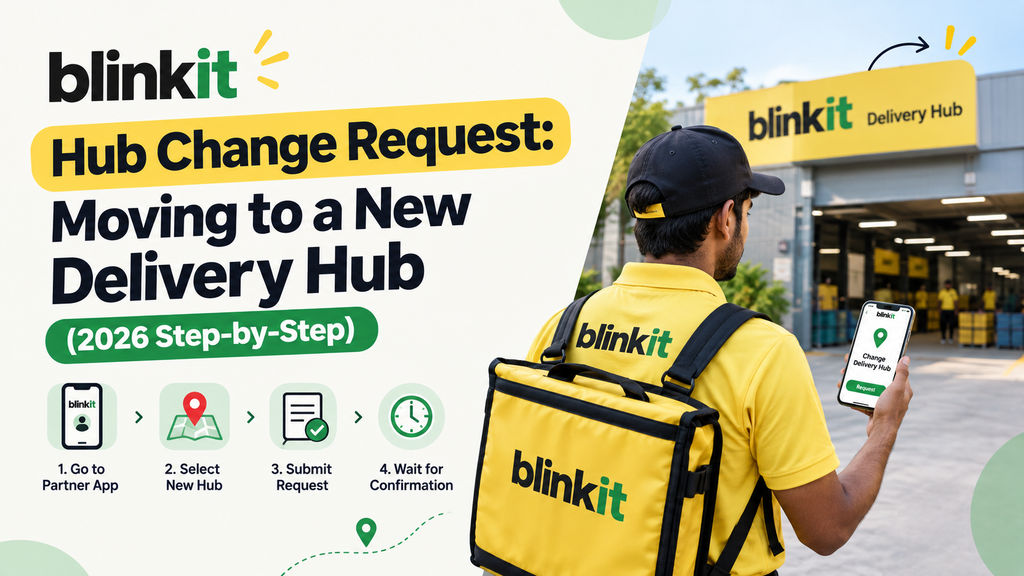
As Blinkit aggressively scales its 10-minute quick commerce footprint across Tier-1 and Tier-2 Indian cities in 2026, thousands of active delivery partners operate out of localized micro-warehouses, commonly known as dark stores or delivery hubs. However, life circumstances frequently change—riders relocate to new residential neighborhoods, find shorter commuting routes, or wish to transfer to high-volume commercial dark stores with superior milestone incentives. This makes knowing how to submit a blinkit hub change request an essential operational skill.
In the dark store model, your incoming order volume, shift availability, and daily bonus slabs are tied directly to your designated primary store. If you physically relocate but remain mapped to an old dark store 15 kilometers away, your daily earnings will plummet due to excessive travel time and missed morning rush slots. Fortunately, Blinkit’s partner ecosystem provides structured in-app and on-ground mechanisms to request hub transfers.
In this comprehensive 2026 step-by-step transfer guide, we detail the exact eligibility requirements, in-app request workflows, dark store capacity factors, and pro tips to get your hub change approved within 24 to 72 hours.
Why Do Delivery Partners Request a Dark Store Hub Change?
Common legitimate reasons for requesting a transfer between Blinkit dark stores include:
- Residential Relocation: Moving to a new rented house and needing a store within a 2 to 3 km radius to eliminate commute fatigue.
- Higher Order Volume & Surge Pay: Transferring from a quiet residential store to a bustling high-density commercial hub with superior multi-order batching.
- Shift Timing Flexibility: Certain 24-hour dark stores offer lucrative late-night slots (11 PM – 4 AM) not available in smaller suburban hubs.
- Switching Delivery Modes (Cycle to EV/Bike): Moving to stores with wider delivery radiuses and EV battery swapping stations.
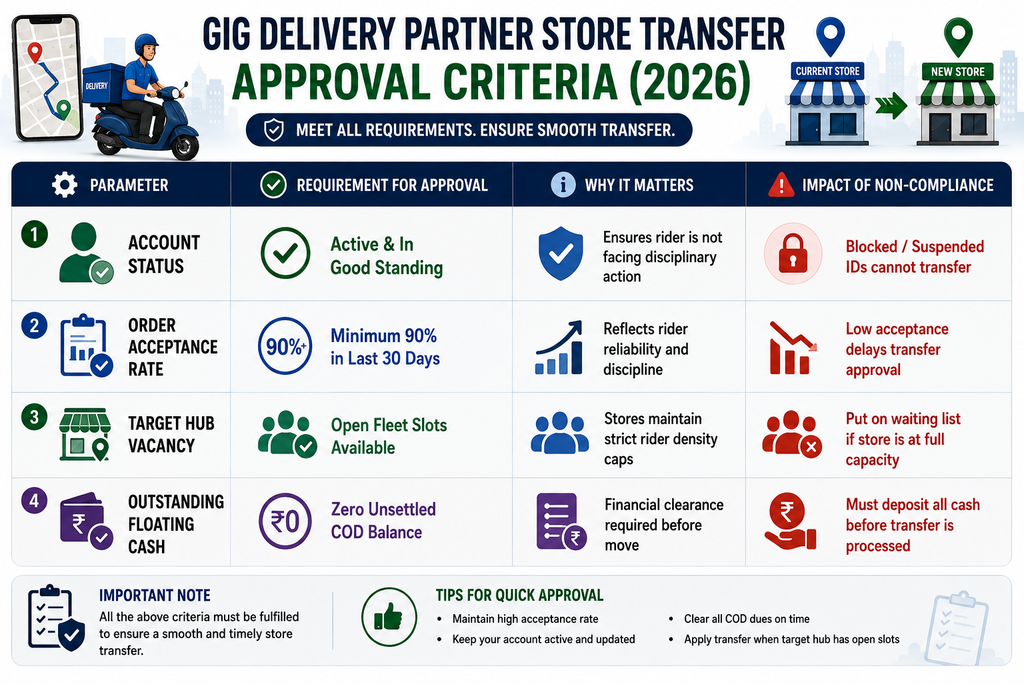
Eligibility Criteria for Blinkit Hub Transfer (2026 Matrix)
> Looking for flexible quick-commerce delivery roles with multiple hub choices and high daily incentives? Discover top-rated dark store vacancies in your city today.
Step-by-Step Guide: How to Submit a Hub Change Request Online
Riders can initiate their store transfer directly through the official Blinkit Delivery Partner Ecosystem app. Follow these 5 steps:
Step 1: Open the Blinkit Delivery Partner App Log in to your active partner app and ensure you have completed your active shift and deposited all collected COD cash.
Step 2: Navigate to Help & Support Tap the hamburger menu in the top-left corner, select ‘Help & Support’ (सहायता), and click on ‘Profile & Hub Related Issues’.
Step 3: Select ‘Store / Hub Change Request’ (स्टोर बदलने का अनुरोध) Choose the transfer option. The app will display a map showing nearby Blinkit dark stores with real-time vacancy indicators (Green = Vacancies Open, Yellow = Limited Slots, Red = Full).
Step 4: Select Your Target Store & Reason for Move Select your desired new dark store from the list, choose your primary reason (Relocation / Distance / Timing), and upload proof of new address if requested.
Step 5: Submit Ticket & Meet the New Hub TL Submit the request. Once approved digitally within 24–48 hours, visit the new dark store and report to the Store Team Lead (TL) with your partner ID for on-ground shift mapping.
What to Do If Your Transfer Request is Rejected or Delayed?
If your preferred dark store is currently operating at maximum rider capacity, follow these proactive workarounds:
- Select an Adjacent Sub-Hub: Choose a secondary dark store situated 1.5–2 km from your preferred location with open slots.
- Visit the Dark Store Team Lead in Person: Store managers frequently have override authority to request additional riders during upcoming festival surges or monsoon seasons.
- Maintain High Performance Metrics: Riders with 4.8+ ratings and consistent peak hour logins receive priority clearance on transfer waiting lists.
Frequently Asked Questions (FAQs)
How long does it take for a Blinkit hub change request to get approved?
Under standard operational conditions, an in-app hub transfer request is evaluated and approved within 24 to 72 hours, depending on vacancy at the target store.
Will my customer rating and tier reset when I switch to a new hub?
No. Your lifetime customer ratings, total completed order history, and accumulated performance badges remain permanently linked to your partner ID.
Can I switch between two different Blinkit dark stores daily?
No. You can only be mapped to one primary dark store at a time to ensure scheduled slot allocation and predictable fleet capacity.
Can I transfer to a Blinkit store in a different city?
Yes. For inter-city transfers, select ‘City Change’ under the support menu. You will be required to submit local address proof for the new city.
> Join leading quick-commerce delivery fleets offering localized dark store hubs near your home. Complete your easy registration and start earning top payouts now.
Conclusion
Transferring to the right Blinkit dark store can significantly reduce your daily commuting stress and dramatically boost your daily order count. By keeping your operational metrics high and submitting your hub change request through the proper in-app channels, you can seamlessly transition to a profitable local hub.