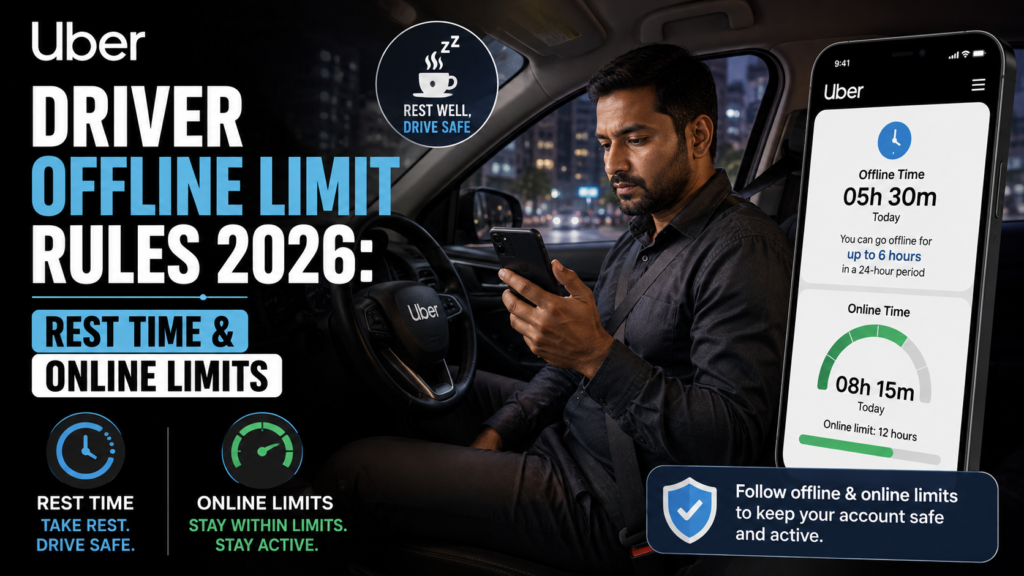
Uber Driver Offline Limit Rules – The rideshare landscape has matured significantly in 2026, and with it comes a heightened focus on driver safety and fair gig work regulations. As an Uber driver, the ability to work whenever you want remains the biggest perk of the job. However, that freedom is no longer a free-for-all. To combat driver fatigue and ensure road safety for everyone, Uber enforces strict online time limits and mandatory offline rest periods.
Whether you are hustling to meet a weekly quest, driving during peak surge hours, or managing a part-time weekend schedule, understanding how the Uber driver offline limits work is critical to maximizing your daily earnings. Mismanaging your time can lead to the app automatically locking you out right in the middle of a lucrative Friday night rush.
This comprehensive guide will break down everything you need to know about Uber’s 2026 driving limits, what actually counts toward your online time, how the mandatory rest reset works, and the best ways to take breaks between rides without hurting your algorithm standing.
How the 12-Hour Driving Time Limit Works
For your safety, the safety of your passengers, and the safety of pedestrians, Uber limits the amount of time you can spend actively driving to 12 cumulative hours. This rule is hardcoded into the app’s algorithm and cannot be bypassed.
- The Cumulative Rule: The 12 hours do not have to be driven all at once. If you drive 4 hours in the morning, go offline for 3 hours, and then drive another 8 hours, those hours add up.
- Warning Notifications: You don’t have to guess when your time is running out. The Uber app will send you push notifications when you have 2 hours, 1 hour, and 30 minutes of driving time remaining.
- The Automatic Lockout: Once you hit exactly 12 hours of accumulated driving time, the Uber Driver app will automatically disconnect you. You will not be able to log back in or receive new trip requests until you complete a mandatory rest period.
> Looking for driving work that fits your routine? Explore driver jobs on AlphaReach and find opportunities that better match your preferred working hours.
Driving Time vs. Online Time: What Actually Counts?
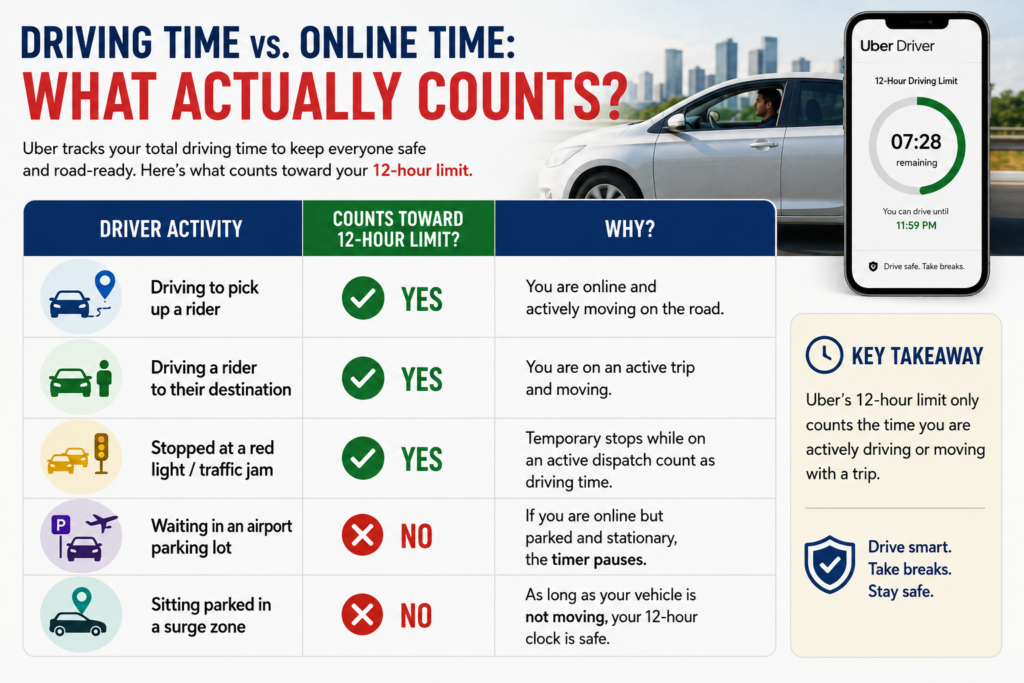
One of the biggest misconceptions among new drivers is that simply having the app turned “Online” drains your 12-hour limit. This is false. Uber calculates active driving time, not just online standby time.
Here is exactly how the app tracks your activity:
| Driver Activity | Counts Toward 12-Hour Limit? | Why? |
| Driving to pick up a rider | Yes | You are online and actively moving on the road. |
| Driving a rider to their destination | Yes | You are on an active trip and moving. |
| Stopped at a red light/traffic jam | Yes | Temporary stops while on an active dispatch count as driving time. |
| Waiting in an airport parking lot | No | If you are online but parked and stationary, the timer pauses. |
| Sitting parked in a surge zone | No | As long as your vehicle is not moving, your 12-hour clock is safe. |
Pro Tip: If you are waiting for a ride during a slow hour, find a safe place to park. Cruising around aimlessly not only wastes your gas but also silently burns through your 12-hour driving limit!
The 6-Hour Rest Period & Counter Reset
So, you’ve reached your 12-hour limit, or you just want to start fresh the next day. How do you reset the clock?
To reset your 12 hours of available driving time back to zero, you must remain completely offline for 6 consecutive hours.
- It Must Be Consecutive: If you are offline for 5 hours, log in for 5 minutes just to check the map, and go back offline, your 6-hour rest timer resets entirely. You must be logged out for 6 uninterrupted hours.
- Taking Short Breaks: You can take short breaks whenever you want. If you drive for 6 hours, log off for 2 hours to eat lunch, and log back in, you will still have 6 hours of driving time left. The 2-hour break pauses the timer, but it does not reset it to 12. Only a full 6-hour break triggers the reset.
Step-by-Step: How to Take a Break Between Rides
Sometimes you just need a quick coffee break, a restroom stop, or a moment to stretch your legs without declining a trip and ruining your Acceptance Rate. Uber has a built-in feature to let you pause incoming dispatches smoothly.
Here is the professional way to take a quick pit stop while you are currently on a ride:
- Accept Your Current Trip: Pick up your passenger as normal.
- Access the Menu: While navigating to the drop-off location, swipe up from the bottom of the driver app screen to open the trip menu.
- Hit the Pause Button: Tap the red “Stop New Requests” (or “Go Offline” in some regional app versions) button.
- Complete the Ride: Finish your current trip and drop the passenger off safely.
- Enjoy Your Break: Once the ride ends, the app will automatically place you in offline mode rather than instantly pinging you with a queued ride.
- Return to Work: When you are rested and ready, simply tap “GO” to go back online and resume receiving requests.
> Ready to explore flexible driving opportunities? Apply as a delivery partner and find work options that fit your schedule, availability, and daily commitments.
FAQs: Frequently Asked Questions
1. Does the 12-hour limit reset at midnight automatically?
No. The Uber driving limit is not tied to a 24-hour calendar day or midnight. It is strictly based on your activity. The only way to reset your 12-hour timer is to stay offline for 6 consecutive hours.
2. What happens if I hit my 12-hour limit while I am in the middle of a trip?
Uber will never force you to kick a passenger out of your car. If your 12-hour limit expires while you are on an active trip, you will be allowed to complete the drop-off safely. The 6-hour automatic lockout will begin the second you end that trip.
3. If I use both Uber and UberEats, do the hours combine?
Yes. The Uber app tracks your time on the platform collectively. Whether you are delivering food or transporting passengers, if you are online and moving, it counts toward the same 12-hour limit.
4. Where can I check how much driving time I have left?
You can check your remaining time directly in the app. Tap the menu icon, navigate to your account or driving settings, and look for the “Driving Time” section to see exactly how many hours and minutes you have remaining before a forced reset.
5. Can I bypass the 6-hour lockout if a massive surge is happening?
No. The 6-hour rest period is a strict safety compliance feature. Uber support cannot manually bypass this limit for you, regardless of how busy the map is.
Conclusion
Maximizing your earnings on Uber in 2026 isn’t just about driving fast; it is about driving smart. Because your 12-hour limit only ticks down when you are actively moving, strategic drivers know to park during slow periods to conserve their driving hours for high-demand rushes. By mastering the offline limit rules, utilizing the “Stop New Requests” feature for well-timed breaks, and ensuring you get your uninterrupted 6-hour resets, you can stay safe on the road while keeping your gig income at an absolute premium. Rest up, plan your shifts, and drive safely!