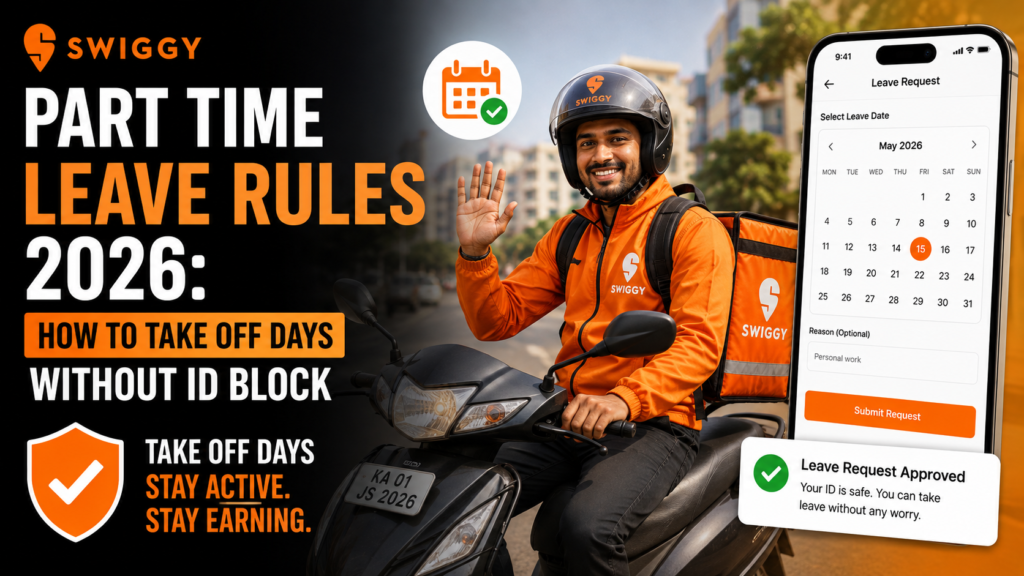
Swiggy Part Time Leave Rules 2026 – The biggest draw of the gig economy is the promise of being your own boss. You get to choose when you work, where you work, and how much you earn. However, as the delivery market becomes more structured in 2026, food delivery platforms like Swiggy have tightened their fleet management systems. For a Swiggy part-time delivery partner, “flexibility” doesn’t mean you can disappear without notice—especially if you have already committed to a shift.
One of the most common issues riders face today is having their Swiggy ID temporarily blocked or deactivated simply because they took a few days off incorrectly. Managing offline days on Swiggy requires a basic understanding of their slot-booking algorithms, attendance metrics, and tier systems. If you fail to log in during a booked shift, the system registers it as a “No-Show,” which can swiftly lead to penalties, loss of weekly incentives, and even an ID suspension.
Whether you are a student working dinner shifts, a professional riding on weekends, or someone dealing with a sudden personal emergency, this guide will explain the Swiggy part-time leave rules. We will walk you through exactly how to manage your schedule, cancel slots legally, and take time off without ever putting your delivery ID at risk.
Understanding Swiggy’s Slot Booking System & Attendance
To understand how to take a leave, you first need to understand how Swiggy schedules its riders. Swiggy operates on a Slot Booking / Shift System. To work, you must book time slots (e.g., 7:00 PM to 11:00 PM) in your preferred delivery zone.
Swiggy relies on these bookings to ensure there are enough riders to handle customer demand. Therefore, their algorithm heavily tracks your Attendance Percentage.
The Difference Between “Not Booking” and a “No-Show”
- Not Booking a Slot (Proper Leave): If you know you want a Sunday off, you simply do not book a slot for that Sunday. The system sees you as off-duty. Your attendance rating is unharmed, and there is no penalty.
- No-Show (The ID Killer): If you book a Sunday slot to secure it, but decide not to log into the app when the time comes (without canceling in advance), the system marks you as a “No-Show.” This is a severe violation of Swiggy’s attendance policy.
Consistent No-Shows are the #1 reason part-time delivery partners face temporary ID blocks in 2026.
> Planning part-time work around your own schedule? Explore flexible delivery jobs and find opportunities that let you balance work with regular off days.
Swiggy Part Time Leave Rules: The Penalty Breakdown

How exactly does taking an unmanaged day off affect your profile? Here is a breakdown of the typical penalties based on how you manage your offline days.
| Action Taken by Rider | Impact on Swiggy Profile | How to Avoid / Fix It |
| Did not book a slot for 3 days | No penalty. No impact on ID. | Normal behavior. Just don’t let your ID sit idle for 30+ days. |
| Logged in late (Late Mark) | Loss of Minimum Guarantee (MG) / Daily Incentive. | Always switch your app to “Online” within 15 mins of slot start time. |
| Booked slot but No-Show | Attendance drops. Lose weekly incentives. | Cancel the slot at least 24 hours prior to the shift. |
| Multiple No-Shows in a week | Temporary ID Block (24 to 48 hours). | Raise a ticket via the Help section immediately if it was a medical emergency. |
| No login for 30+ Days | ID becomes Dormant / Permanently Blocked. | Must log in and complete at least 1 order a month to keep ID active. |
How to Take Off Days Without an ID Block
Managing offline days on Swiggy is easy once you master the app’s scheduling features. Follow these golden rules to take leaves without losing your hard-earned tier status or facing an ID suspension.
1. Cancel Slots in Advance
If you have already booked a shift but suddenly realize you cannot make it, cancel it as early as possible. Swiggy generally allows you to cancel a booked slot without any penalty if you do it 12 to 24 hours before the shift begins (times may vary slightly by city/zone). This gives the algorithm enough time to pass your slot to another delivery partner.
2. Protect Your Tier Status (Bronze, Silver, Gold, Diamond)
Swiggy categorizes riders into tiers based on performance, attendance, and customer ratings. Higher tiers get first access to high-paying weekend slots and rain surges.
- To maintain a high tier (like Diamond or Gold), your attendance must generally stay above 85% to 90%.
- If you take a planned leave by not booking slots, your attendance percentage isn’t affected. However, if you book and take a leave (No-Show), your percentage crashes, and you will be demoted to Bronze, limiting your earning potential.
3. The 30-Day Dormancy Rule
As a part-timer, you might want to take a long break for college exams or family travel. Swiggy allows this, but there is a catch. If your ID remains completely inactive (zero logins, zero orders) for 30 consecutive days, the system automatically flags it as a “Dormant ID” and locks it. To reactivate a dormant ID, you often have to visit the local Swiggy Hub and undergo retraining.
- Pro Tip: If you are taking a long leave, try to log in for just one 3-hour shift every 20 days and deliver a couple of orders to keep the ID “alive.”
Step-by-Step Guide: How to Cancel a Shift Without Penalty
If you need to drop a shift you’ve already committed to, follow these exact steps to stay out of the penalty zone:
- Open the Swiggy Delivery Partner App: Log into your account.
- Navigate to the ‘Duty’ or ‘Shifts’ Tab: This is usually located at the bottom of the home screen.
- View Booked Slots: Tap on ‘My Bookings’ or ‘Upcoming Shifts’ to see your schedule for the week.
- Select the Shift: Tap on the specific date and time slot you wish to take off.
- Hit ‘Release’ or ‘Cancel Slot’: The app will ask for a confirmation. If you are doing this 24 hours in advance, the slot will be released back into the pool without impacting your attendance.
- Check Attendance Dashboard: Always go to your performance dashboard to ensure your attendance percentage hasn’t taken a hit.
Important: If you have a sudden medical emergency and cannot cancel in advance, do not just ignore the app. Open the app, go to Help/Support, raise a ticket stating “Medical Emergency,” and attach a prescription or proof later. Swiggy fleet managers can manually reverse an ID block in genuine emergency cases.
> Looking for flexible part-time delivery work? Apply as a delivery partner and choose opportunities that fit your routine, availability, and preferred working hours.
FAQs: Frequently Asked Questions
1. Can I just switch off my mobile data or GPS to take a break during a shift?
No. If you are logged into a booked slot and turn off your GPS or data for extended periods, the Swiggy app registers it as a “Duty Breach.” You will be logged out automatically, marked as a No-Show, and you will lose any daily incentives you were aiming for. If you need a break, use the official “Pause” or “Break” button provided in the app.
2. How long does a Swiggy temporary ID block last?
If your ID is temporarily deactivated due to poor attendance or multiple No-Shows, the suspension typically lasts for 24 to 48 hours. The exact time of reactivation will be displayed on your app screen (e.g., “Duty stopped till 12 May 06:00 AM”).
3. Is there an upper limit on how many days a part-time partner can take off?
There is no strict upper limit on the number of days you can take off, provided you do not book slots for those days. However, you must deliver at least one order every 30 days to prevent your ID from being permanently deactivated due to inactivity.
4. What happens to my weekly incentives if I cancel a slot properly?
Canceling a slot properly in advance protects your ID from being blocked, but it reduces your total login hours for the week. If your weekly incentive requires 20 hours of login time and your cancellation drops you to 17 hours, you will miss the incentive payout.
5. I was blocked for order rejection, is that different from a leave penalty?
Yes. Rejecting assigned orders while online is an “Order Rejection” penalty, which is completely different from a leave/No-Show penalty. Excessive rejections in a single shift will also trigger an automatic temporary ID block (usually 24 hours).
Conclusion
Succeeding as a Swiggy part-time delivery partner in 2026 is all about smart scheduling. The platform offers incredible freedom, but that freedom requires responsibility. Managing offline days on Swiggy simply comes down to anticipating your schedule, not hoarding slots you cannot work, and canceling in advance when life gets in the way. By respecting the slot booking rules and avoiding No-Shows, you will easily protect your rating tier, keep your weekly incentives intact, and ensure your ID never gets blocked. Ride safe, plan ahead, and maximize your earnings.