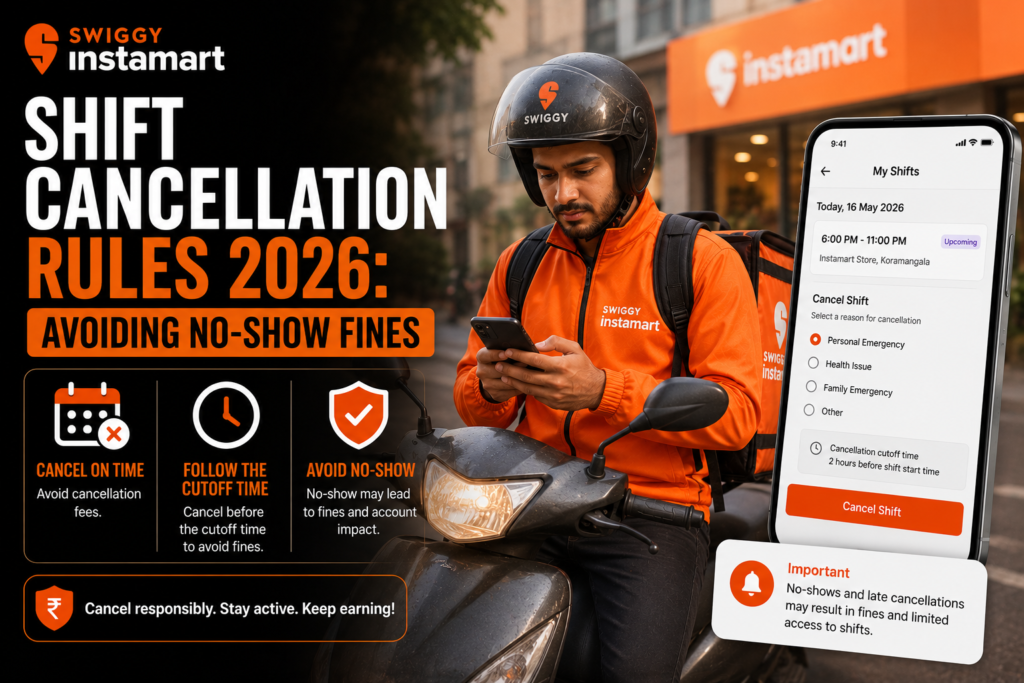
Swiggy Instamart Shift Cancellation Rules 2026 – The rapid expansion of quick-commerce in 2026 has made Swiggy Instamart one of the most reliable platforms for gig workers looking for consistent daily earnings. Delivering groceries and daily essentials in 10 minutes requires an incredibly tight operational setup. Unlike traditional food delivery where riders are constantly on the move across the city, Swiggy Instamart operates on a localized “Dark Store” hub-and-spoke model.
Because of this hyper-local setup, Swiggy Instamart relies heavily on a pre-booked shift (slot) system to ensure each dark store has the exact number of riders needed to meet hourly demand. While this slot system guarantees you steady orders and minimizes idle time, it also means your physical presence during your booked hours is strictly counted on.
Managing your time off correctly is one of the most important skills for a delivery partner today. Dropping a shift without notice can result in severe algorithm penalties, cash fines, and even a temporary ID block. Whether you are dealing with a sudden vehicle breakdown, a medical emergency, or simply want to plan a family vacation, this comprehensive guide will walk you through the Swiggy Instamart shift cancellation rules so you can take time off safely and protect your earnings.
How Swiggy Instamart’s Slot System Works
To understand the cancellation policy, you first need to understand how Instamart schedules its delivery partners.
- Advance Slot Booking: You select your working hours by booking specific shifts (e.g., 7:00 AM – 12:00 PM, or 6:00 PM – 11:00 PM) for your assigned dark store through the Swiggy Delivery Partner app.
- Attendance Tracking: Once a slot is booked, the algorithm locks you in. You are expected to be physically present near the dark store and log into the app within 15 minutes of your shift start time.
- The Importance of “No-Show”: If you fail to log in during a booked shift without canceling it beforehand, the system registers this as a “No-Show.” Because this disrupts the 10-minute delivery promise, No-Shows carry the heaviest penalties on the platform.
> Looking for flexible gig work around your schedule? Explore delivery jobs on AlphaReach and find opportunities that fit your availability and daily routine.
Swiggy Instamart Shift Cancellation Policy & Penalty Breakdown
Taking a day off is completely fine, provided you do it by not booking a slot in the first place. However, if you have already booked a shift and need to drop it, the timing of your cancellation determines the penalty.
Here is the realistic 2026 breakdown of how Swiggy Instamart handles shift cancellations:
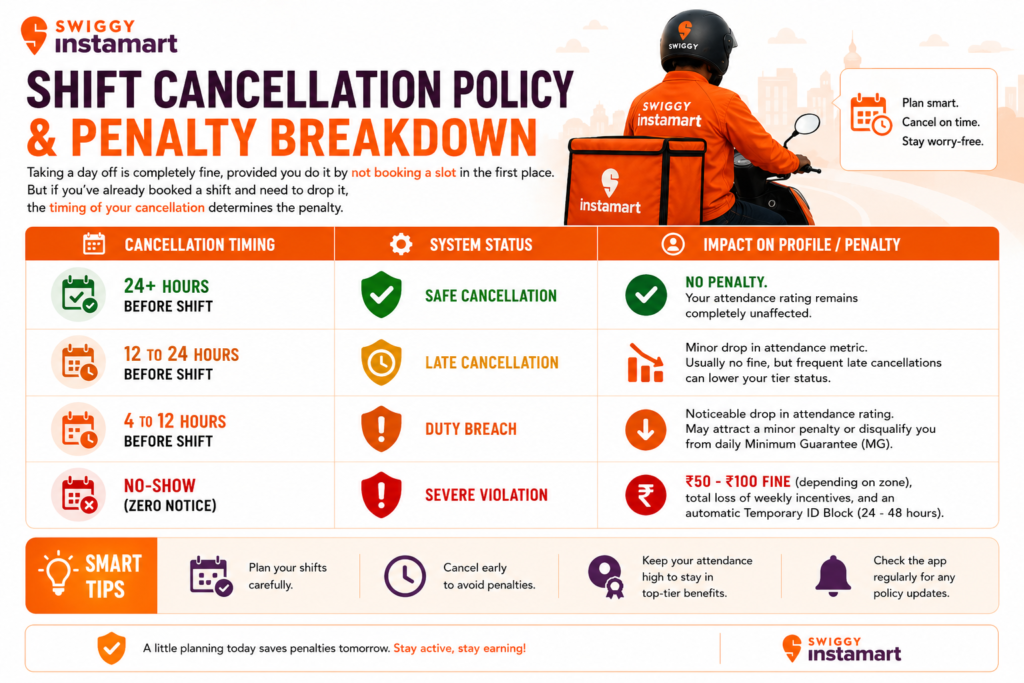
Pro Tip: Maintaining a high attendance rating (usually above 85% or 90%) is required to stay in the higher partner tiers (Gold/Diamond). Higher tiers get first access to high-paying weekend surge slots and rain incentives. Dropping shifts recklessly will drop your tier, limiting your future earnings.
Step-by-Step Guide: How to Drop a Store Shift Safely
If you know you cannot make it to work, releasing your slot early is the most professional way to protect your ID. It releases the slot back into the open pool so another delivery partner can claim it.
Follow these steps to cancel your shift properly:
- Open the Swiggy Delivery Partner App: Log in and ensure you have an active internet connection.
- Navigate to the ‘Duty’ or ‘Shifts’ Tab: This is located on the bottom navigation menu.
- Go to ‘My Bookings’: Here, you will see a list of all your upcoming booked slots for the week.
- Select the Shift to Cancel: Tap on the specific date and time slot you wish to drop.
- Tap ‘Release Slot’ or ‘Cancel Shift’: The app will ask for confirmation. If prompted, select a valid reason (e.g., Personal Reason, Vehicle Maintenance).
- Verify the Release: Once confirmed, the shift will disappear from your roster. If done at least 24 hours in advance, your attendance percentage will stay perfectly intact.
Rules for Taking an Emergency Off
Life doesn’t always give you 24 hours of notice. What happens if you get a flat tire on your way to the dark store, or wake up with a high fever? Here is how to handle an emergency unplanned off without getting slapped with a No-Show fine.
1. Contact Your Dark Store Manager Immediately
Because Instamart operates through physical hubs, you have the advantage of a localized Shift In-charge or Store Manager. Call them immediately. If you explain a genuine emergency, store managers often have the backend authority to manually mark your absence as an “Excused Emergency.” This prevents the algorithm from automatically triggering a No-Show fine.
2. Raise a Support Ticket with Proof
If you cannot reach the store manager, open the Swiggy Delivery Partner App and go to the Help & Support section. Raise a ticket stating “Medical Emergency” or “Vehicle Breakdown.” Always upload proof—a photo of your punctured tire, a medical prescription, or a mechanic’s bill. If the system automatically blocks your ID, having this ticket open will make it much easier for the fleet managers to reverse the penalty.
3. Do Not Attempt a “Fake Login”
Never drive near the dark store just to log in, avoid the No-Show, and then immediately turn off your GPS or data. The Swiggy system tracks your location and connectivity meticulously. Doing this triggers a “Duty Manipulation” or “Fraudulent Login” flag. This is a far more serious offense than a No-Show and often leads to permanent ID deactivation.
> Want more flexibility in your delivery work? Apply as a delivery partner and explore opportunities that suit your preferred working hours and commitments.
FAQs: Frequently Asked Questions
1. How long does a temporary ID block last after a No-Show?
If your Swiggy Instamart ID is blocked due to an unnotified absence, the suspension typically lasts for 24 to 48 hours. The exact date and time your ID will be unblocked will be displayed on your app’s home screen.
2. Does cancelling a shift affect my weekly incentive payout?
Canceling a shift 24 hours in advance protects your ID from blocks and fines, but it does reduce your total logged-in hours for the week. If your weekly incentive requires you to complete 25 hours, and canceling a shift drops you to 20 hours, you will miss out on that specific bonus payout.
3. What happens if the Dark Store Manager cancels my shift?
Sometimes, if the store is overstaffed and order volume is low, the manager may ask riders to log off early. If the manager manually cancels your shift from their end, your attendance rating is fully protected, and you will not face any penalties.
4. Can I swap my Instamart shift with another Swiggy delivery partner?
No. Swiggy does not allow direct shift swapping between riders. You must release your slot on the app so it goes back into the general pool. Never let someone else log in and ride under your name, as regular selfie-verifications will catch this and result in an instant permanent ban.
5. I took an emergency off but had floating COD cash. What should I do?
If you have collected Cash on Delivery (COD) from previous orders, you must deposit it via UPI (PhonePe, GPay, Paytm) using the app’s deposit feature, even if you are at home. If your floating cash exceeds the limit, your ID will remain locked even after your No-Show penalty period ends.
Conclusion
Working for Swiggy Instamart in 2026 is highly lucrative, but it requires a disciplined approach to time management. The platform’s shift cancellation rules are designed to keep the dark stores running smoothly. The golden rule is simple: Communicate early. By planning your days off, releasing slots 24 hours in advance, and instantly notifying your hub manager during emergencies, you can effortlessly avoid No-Show fines. Manage your shifts responsibly to protect your rating tier, secure your weekly incentives, and keep your gig income steady!