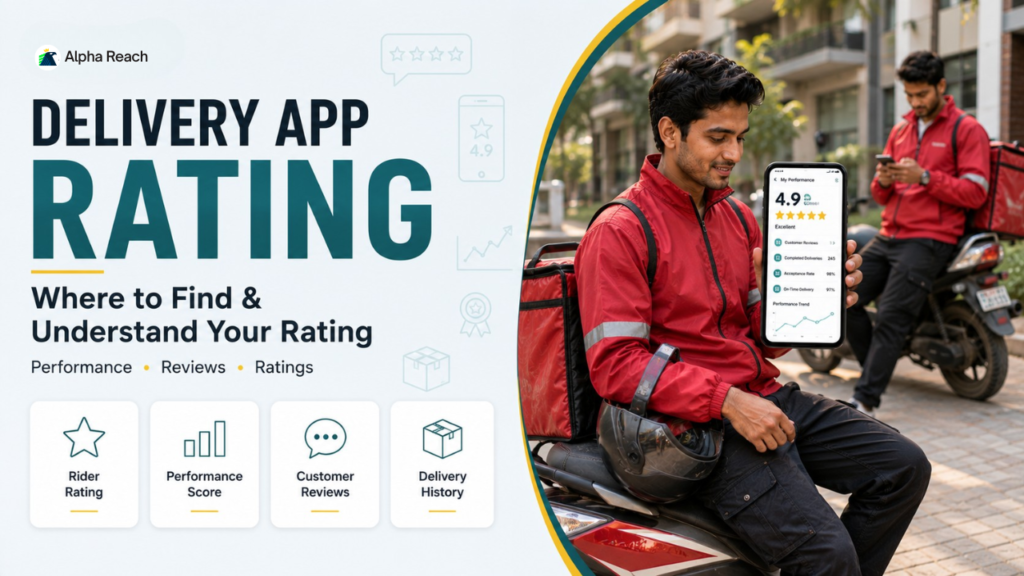
If you have just started your journey as a delivery partner for platforms like Zomato, Swiggy, UberEats, or Blinkit, you already know that your smartphone is your mobile office. While accepting orders and following the GPS are the basic parts of the job, there is a hidden element that dictates your true success: your rider rating.
Your rating determines your access to high-paying orders, weekly incentives, and overall account security. But for a beginner, modern delivery apps can be confusing. If you are wondering exactly how to check delivery rider rating, you are not alone.
In this beginner-friendly walkthrough, we will show you how to navigate to the delivery app rating section, how to decode the numbers on your rider performance dashboard, and how to use customer feedback to become a top-tier delivery professional.
1. Locating Your Rider Performance Dashboard
While every app (Zomato, Swiggy, Zepto, etc.) has a slightly different layout, the basic architecture of a delivery partner app is very similar across the board. Here is a step-by-step guide on how to find your stats:
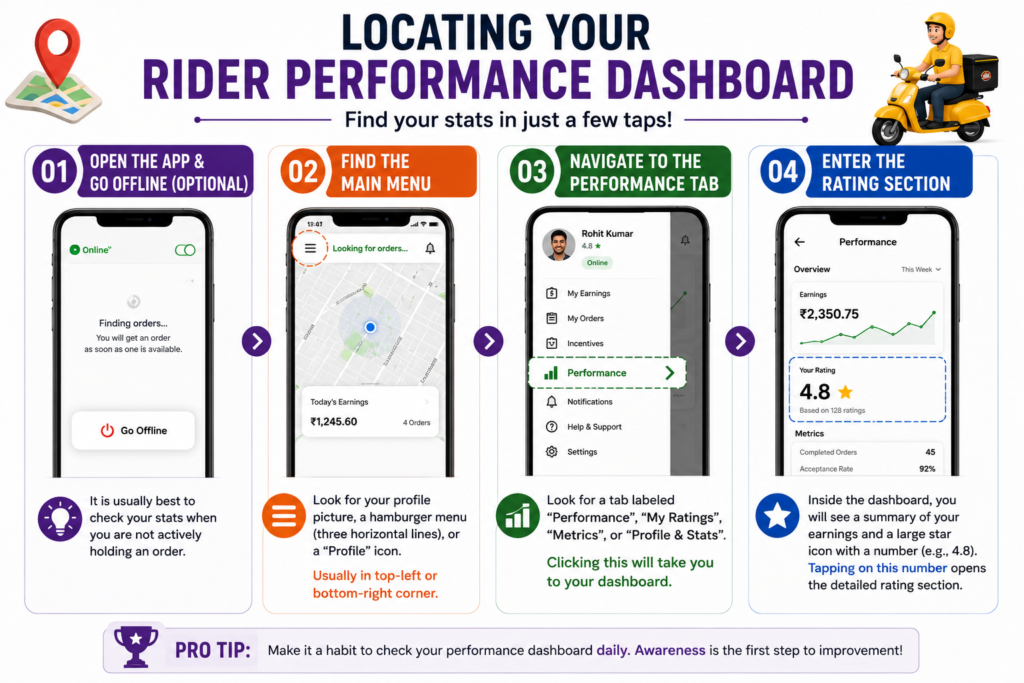
- Open the App and Go Offline (Optional): It is usually best to check your stats when you are not actively holding an order so you don’t accidentally miss a notification.
- Find the Main Menu: Look for your profile picture, a hamburger menu (three horizontal lines), or a “Profile” icon. This is usually located in the top-left or bottom-right corner of the home screen.
- Navigate to the Performance Tab: Look for a tab labeled “Performance,” “My Ratings,” “Metrics,” or “Profile & Stats.” Clicking this will take you straight to your rider performance dashboard.
- Enter the Rating Section: Inside the dashboard, you will see a summary of your earnings and a large star icon with a number next to it (e.g., 4.8). Tapping on this number opens the detailed delivery app rating section.
> Ready to put these delivery rider rating tips into practice? Apply as a delivery partner online and start building a strong rating from your very first deliveries.
2. How to Understand Rider Score (The 5-Star System)
Once you are in the rating section, you will see a large number out of 5.0. To truly understand rider score mechanics, you need to know how this number is calculated.
- The Rolling Average: Your score is almost never a lifetime average. Most apps calculate your score based on your last 100 rated deliveries. This is called a “rolling average.” If you get a bad rating today, it will drop off your score once you complete 100 newer, better-rated deliveries.
- The Benchmark: In the delivery industry, a score of 4.8 to 5.0 is considered “Excellent.” A score between 4.5 and 4.7 is “Good/Average.” If your score drops below 4.5, the app may issue a warning, and if it drops below a certain threshold (usually 4.2 or 4.0), your account may face temporary suspension.
3. Reading Customer Feedback in Delivery App
Your overall star rating tells you how you are doing, but the feedback section tells you why. Knowing how to check delivery rider rating is only half the battle; the real value lies in the details.
Below your main score, you will usually find a breakdown of customer feedback in delivery app. This is often divided into two categories:
Thumbs Up (Compliments)
Customers can leave specific tags when they give you a 5-star review. You might see badges or tallies for:
- Perfect Handover
- Followed Instructions
- Polite & Professional
- Fast & Safe Delivery
Seeing these tags confirms that your current delivery routine is working perfectly.
Thumbs Down (Areas of Improvement)
If a customer gives you a poor rating (1 to 3 stars), the app usually forces them to select a reason. You will see tags like:
- Food was Cold (Solution: Always zip your thermal bag tightly).
- Items Spilled (Solution: Drive smoothly over speed bumps and secure items inside the bag).
- Rider was Unprofessional (Solution: Always greet the customer with a smile and say “Thank you”).
- Did Not Follow Instructions (Solution: Always read the delivery notes, like “Leave at door” or “Do not ring doorbell”).
4. Other Vital Metrics on Your Dashboard
While exploring your rider performance dashboard, you will notice that customer ratings are not the only numbers the app tracks. To maintain a healthy profile, keep an eye on these three metrics:
- Acceptance Rate (AR): The percentage of order requests you accept versus the ones you decline. A low AR can limit your access to surge pricing and bonuses.
- Cancellation Rate (CR): The percentage of orders you cancel after already accepting them. This should be kept as close to 0% as possible. High cancellation rates are the fastest way to get an account blocked.
- On-Time Delivery Rate: The percentage of orders you deliver within the app’s estimated arrival time (ETA).
> As you improve your delivery rider rating, keep an eye on new delivery opportunities too. Explore the latest delivery jobs that match your schedule and experience in one place.
Frequently Asked Questions (FAQs)
Q1: How often does my rider rating update?
Ans: On most platforms, ratings update almost instantly after the customer submits their review. However, some apps update the dashboard in batches every 24 hours.
Q2: What should I do if I get an unfair 1-star rating?
Ans: Unfortunately, unfair ratings happen. Do not panic. Because the system uses a “rolling average” of your last 100 trips, one bad rating will not ruin your overall score. Focus on delivering excellent service on your next few orders to quickly bounce back.
Q3: Can I see exactly which customer gave me a bad rating?
Ans: No. For safety and privacy reasons, all delivery platforms keep customer ratings completely anonymous. You will only see the aggregated score and the generic feedback tags (e.g., “Late Delivery”).
Conclusion
Mastering the gig economy starts with understanding the tools at your disposal. Now that you know exactly how to check delivery rider rating and how to navigate the delivery app rating section, make it a habit to review your dashboard at the end of every week.
Don’t let a single bad review discourage you. Use the customer feedback in delivery app as a free coaching tool. Identify your weak points, adjust your riding or handling habits, and watch your score—and your earnings—steadily climb!