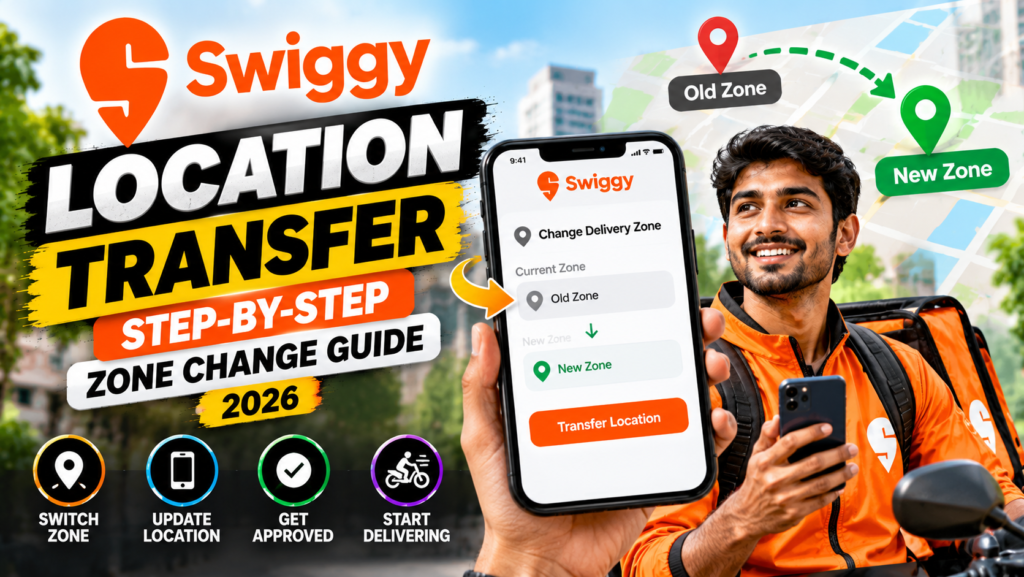
For delivery partners on Swiggy, your assigned operating zone directly dictates your order volume, surge multipliers, travel distance, and weekly earnings. Relocating to a new residential neighborhood, moving to another city, or noticing that an adjacent delivery zone offers superior peak-hour incentives often makes requesting a swiggy location transfer necessary. In 2026, Swiggy’s updated automated partner management system allows delivery executives to modify their operating zone or city directly through the partner application.
However, transferring zones requires navigating capacity limits, seasonal rider demand quotas, rate card recalculations, and backend verification checks. Submitting an incorrect transfer request or attempting to go online in an unassigned zone can lead to an order drought, login restrictions, or temporary account suspensions.
In this comprehensive 2026 handbook, we walk you through the step-by-step procedure for both intra-city zone modifications and inter-city relocations, examine the documentation required, explain transfer approval timelines, and provide proven methods to pick the highest-earning delivery zones.
Understanding Intra-City Zones vs. Inter-City Relocation
Swiggy classifies delivery location transfers into two distinct operational categories:
- Intra-City Zone Transfer (Within Same City): Moving from one delivery cluster to another within the same metropolitan boundary (e.g., shifting from Koramangala to Whitefield in Bengaluru, or from Rohini to Connaught Place in Delhi). These transfers are processed rapidly within 24 to 48 hours because state tax structures and local rate cards remain largely identical.
- Inter-City Relocation (Between Different Cities or States): Moving across municipal or state boundaries (e.g., transferring from Lucknow to Noida, or from Pune to Hyderabad). These transfers require updating your regional KYC, re-mapping state GST/TDS tax records, and accepting the destination city’s localized rate card structure. Processing typically takes 3 to 5 business days.
Swiggy Location Transfer Rules & Policy Matrix (2026)
| Transfer Category | Application Method | Approval Timeline | Prerequisite Conditions | Impact on Payouts & Tier |
| Intra-City Zone Transfer | Swiggy Partner App Self-Service | 12 – 24 Hours | No active unserved customer complaints; minimum 7 days in current zone | Rider tier rating retained; rate card updates to target zone base pay |
| Inter-City Transfer | In-App Helpdesk Ticket / Hub Visit | 3 – 5 Business Days | Zero outstanding equipment dues; valid address verification | Rider tier recalibrates over first 14 days; new city rate card applies |
| Temporary Festival Relocation | Hub Manager Special Roster Request | Immediate (On-Spot) | Peak holiday surge availability in high-demand zones | Special incentive multipliers applied for duration of event |
Discover high-paying food and grocery delivery partner vacancies with flexible hours and weekly direct bank transfers. Explore verified gig jobs in your city today.
Regulatory Compliance & Fair Working Conditions
Platform gig worker portability and transparent transfer policies align with standards encouraged by the Ministry of Labour and Employment.
Key guidelines governing location flexibility in 2026 include:
- Rider Geographic Autonomy: Delivery partners maintain the right to operate where they reside, preventing platforms from indefinitely locking workers into remote, high-fatigue delivery sectors.
- Transparent Slot Availability: Before approving a transfer, the system must clearly display whether the target zone has open shift capacity, preventing partners from transferring into over-saturated zones.
- Seamless Document Portability: Valid identity proofs, background verification clearances, and banking records transfer seamlessly across branches without requiring new joining fees.
Step-by-Step Guide: How to Change Your Zone in Swiggy Partner App
Follow these precise instructions to request a location transfer:
- Open the Swiggy Partner App: Ensure your app is updated to the latest 2026 build.
- Navigate to Profile Settings: Tap the Profile icon located in the top-left corner of the dashboard.
- Select ‘Help & Support’ -> ‘Account & Profile’: Scroll to the account management menu and tap ‘Change Operating Zone / City’.
- Choose Target Zone / City: Browse the interactive map displaying open operational zones in your city. Zones marked in green have immediate onboarding capacity, while yellow zones have limited shift slots.
- State Your Reason for Transfer: Select from the dropdown menu (e.g., ‘Relocated Home Address’, ‘Preferred Proximity to Dark Store’, or ‘Better Public Transit Access’).
- Submit Request: Review your selection and tap ‘Submit Zone Change Request’. You will receive an SMS and an in-app confirmation notification once the transfer is activated.
How to Choose the Most Profitable Swiggy Delivery Zone
Before submitting a transfer, evaluate these three factors to maximize your weekly income:
- Cloud Kitchen & Restaurant Density: Select zones with dense clusters of commercial cloud kitchens, fast-food outlets, and shopping malls to minimize unpaid travel between pickups.
- Instamart Integration: Zones with high-volume Swiggy Instamart dark stores provide continuous grocery orders during the mid-afternoon lull (2:30 PM – 6:00 PM) when food delivery slows down.
- Peak Surge Multipliers: Check your city’s heat map during Friday and Saturday dinner hours to identify zones that consistently trigger 1.3x to 1.6x surge pay multipliers.
Frequently Asked Questions (FAQs)
How long does it take for a Swiggy zone transfer to take effect?
An intra-city zone change typically takes 12 to 24 hours to activate. An inter-city transfer between different states takes 3 to 5 business days due to tax and administrative re-mapping.
Will my Swiggy rider tier ranking drop if I change my delivery zone?
No, your performance tier (Diamond, Gold, Silver) and attendance reliability score remain intact during intra-city zone transfers. For inter-city transfers, your rating carries over, but shift allocation recalibrates based on the target city’s tier thresholds.
Do I need to pay any fee to change my Swiggy delivery location?
No, requesting a location transfer within Swiggy is 100% free. Never pay any third-party agent or supervisor demanding fees for zone changes.
Can I work in two different Swiggy zones on the same day?
Generally no. Your app dispatches orders based on your single active assigned zone. However, if an order takes you into an adjacent zone, the system may assign a return order heading back toward your primary hub.
What should I do if my transfer request is rejected due to zone capacity?
If your chosen zone is currently full, re-apply after 7 to 10 days, or select a neighboring adjacent zone that has open capacity and borders your target area.
Find top-paying delivery partner jobs in your preferred neighborhood with flexible shifts and weekly direct bank payouts. Explore verified openings and apply online today.
Conclusion
Mastering the Swiggy location transfer process gives delivery partners the flexibility to optimize their earning environment. By transferring into high-demand restaurant clusters and dark store corridors, you can reduce unpaid transit time, capture aggressive peak surge multipliers, and significantly elevate your monthly take-home payouts. Always verify zone capacity before transferring to ensure immediate shift availability.

